TechXcelerate Editor
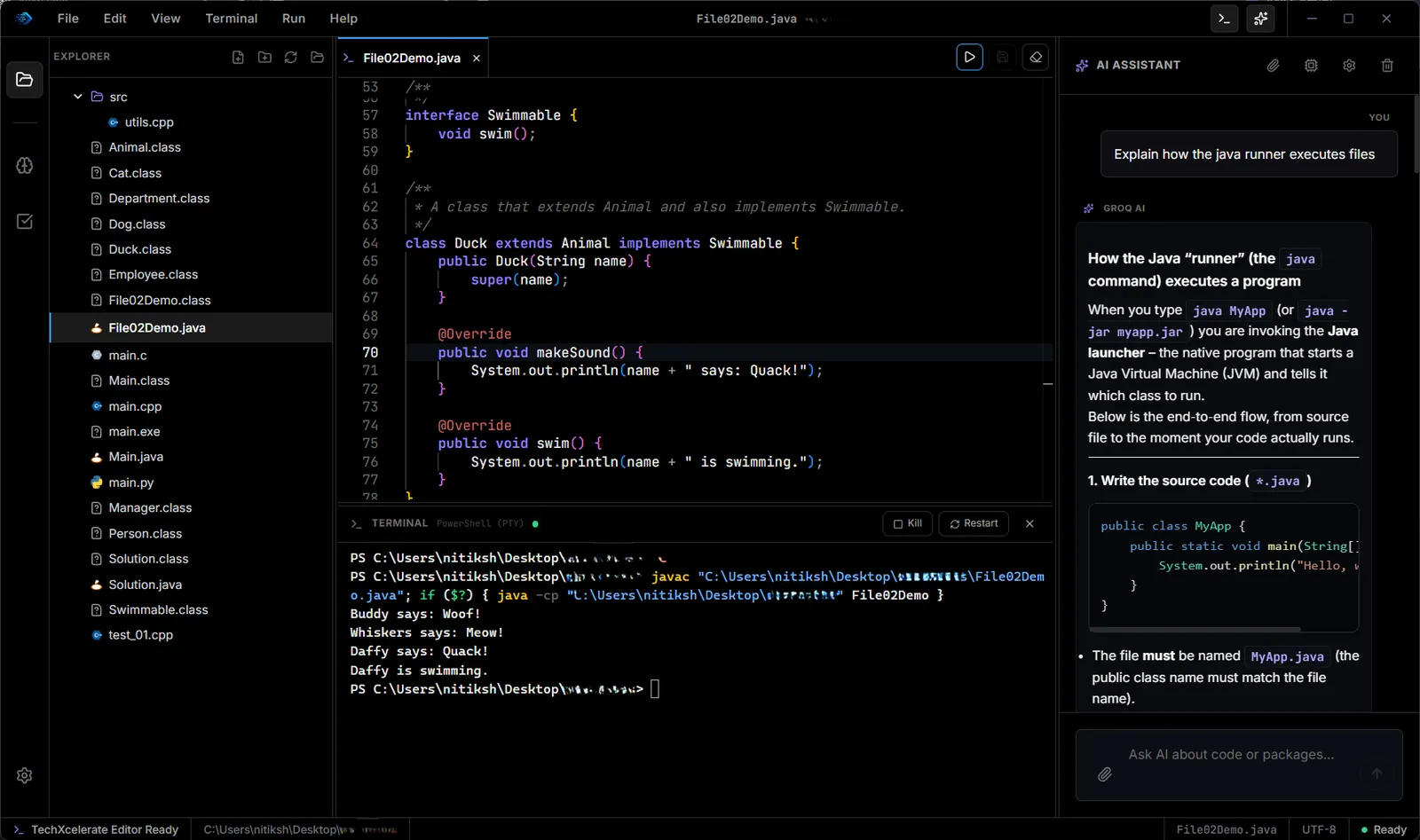
A desktop code editor with an explorer, a real terminal, multi-language run, a built-in coding assistant, a local automation API and coding practice with test validation.
The challenge
A coding session usually spreads across an editor, a separate terminal, a chat window for questions and a website for practice problems. Each switch costs focus, and a chat window does not know what is in your project.
The solution
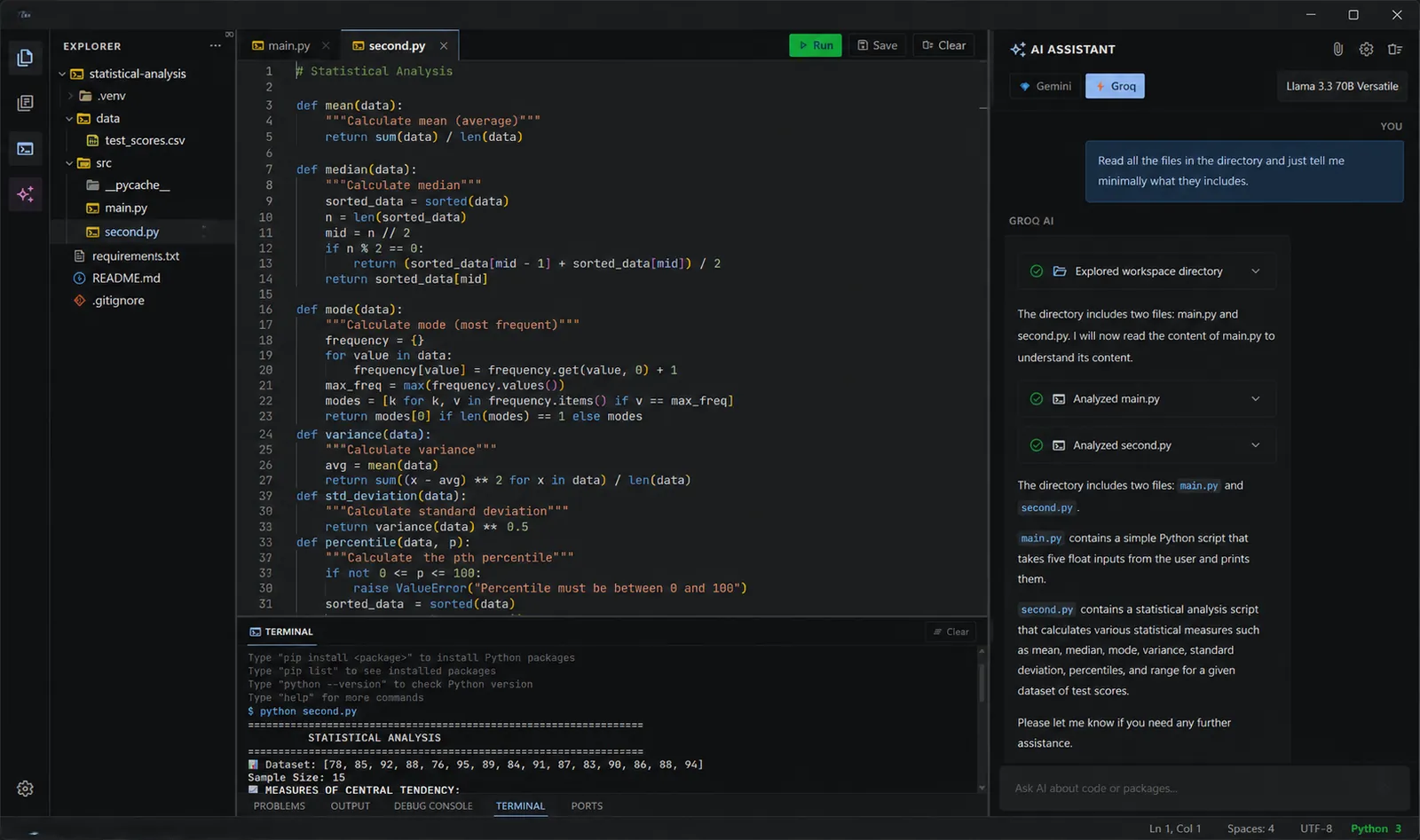
TechXcelerate Editor puts the file tree, editor, terminal and assistant in one window. The assistant can list folders, read files and run tests in the open workspace, and each tab keeps its own chat history. A local Command Server lets scripts drive the editor over HTTP.
Key features
Editor and terminal
- Explorer, multi-file projects and tabs
- Run code in languages such as Python, Java, C, C++, Rust and Go
- A real terminal inside the editor with custom run actions
Coding assistant
- Reads the directory tree and file contents of the open workspace
- Can run test suites while it works on a task
- Separate chat history for each open tab
- Uses your own Gemini, Groq or Anthropic key, with no subscription
Command Server
- Local HTTP API to open folders, close files, run tests and terminal commands
- Read output logs and open or close sidebar views from scripts
- Bearer token check on every request
Practice
- Programming challenges inside the workspace
- Pre-loaded test suites validate your code and report pass or fail
Results
- Editor, terminal, assistant and practice in one desktop window.
- Scripts can control the editor through a local, token-protected API.
- Source files stay and run on your own machine.
Screenshots
Related
TechXcelerate Editor: Code, Terminal and Practice in One Window
Why TechXcelerate Editor puts the editor, a real terminal, a workspace-aware assistant, an automation API and coding practice in one desktop app.
Desktop Apps
Native desktop software for Windows and Mac, built mainly in Rust: media suites, editors, and tools that stay fast after install day.