SQL Studio
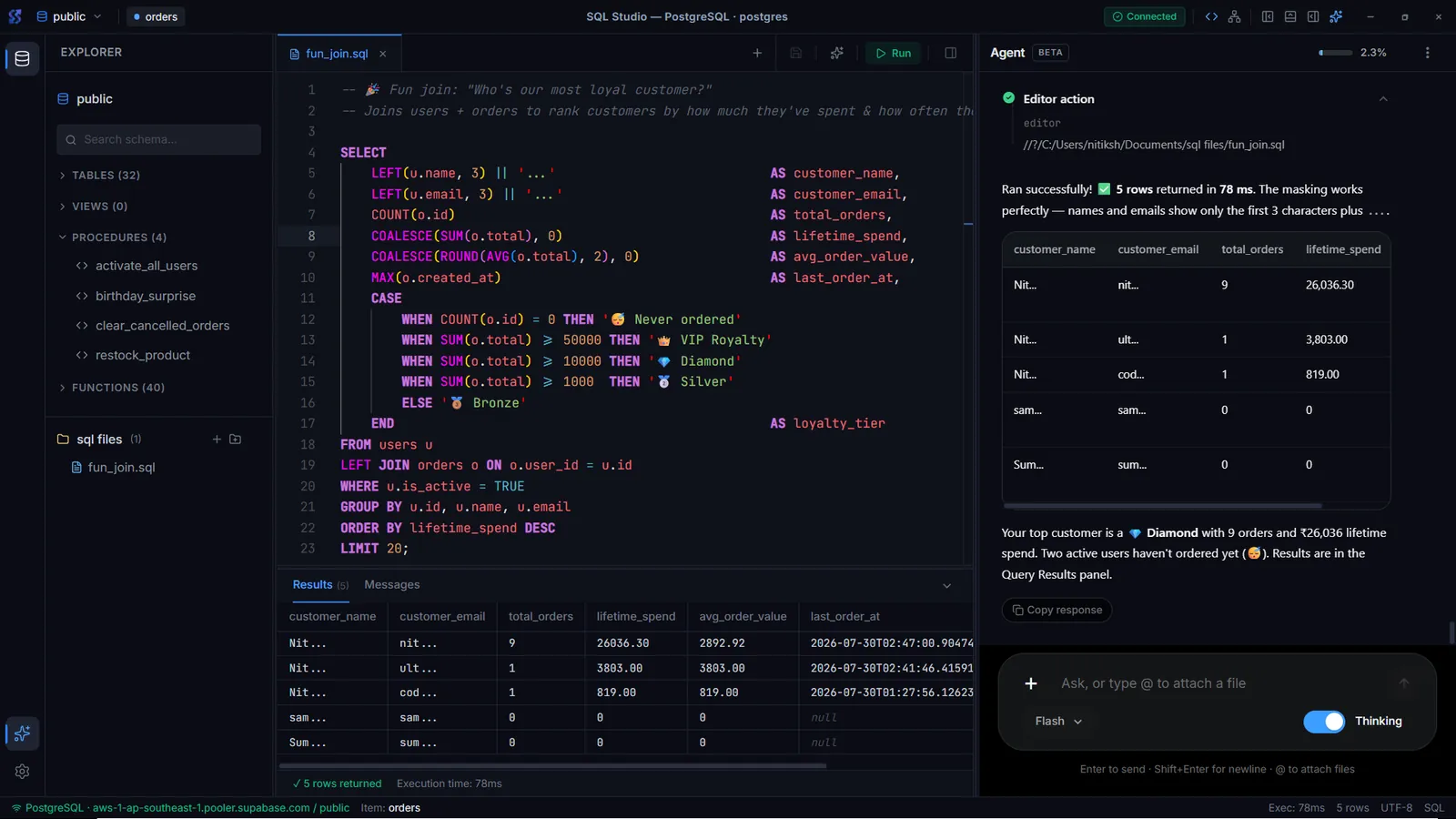
A local-first desktop database IDE for PostgreSQL, MySQL and SQLite. Connect securely, write SQL with schema-aware completion, browse and edit rows, and explore relationships on a live schema canvas.
The challenge
Database clients often mean a separate tool per engine, dense panes that are easy to misclick, and saved passwords in plain files. Web-based tools add another problem: your connection details and data pass through someone else's server.
The solution
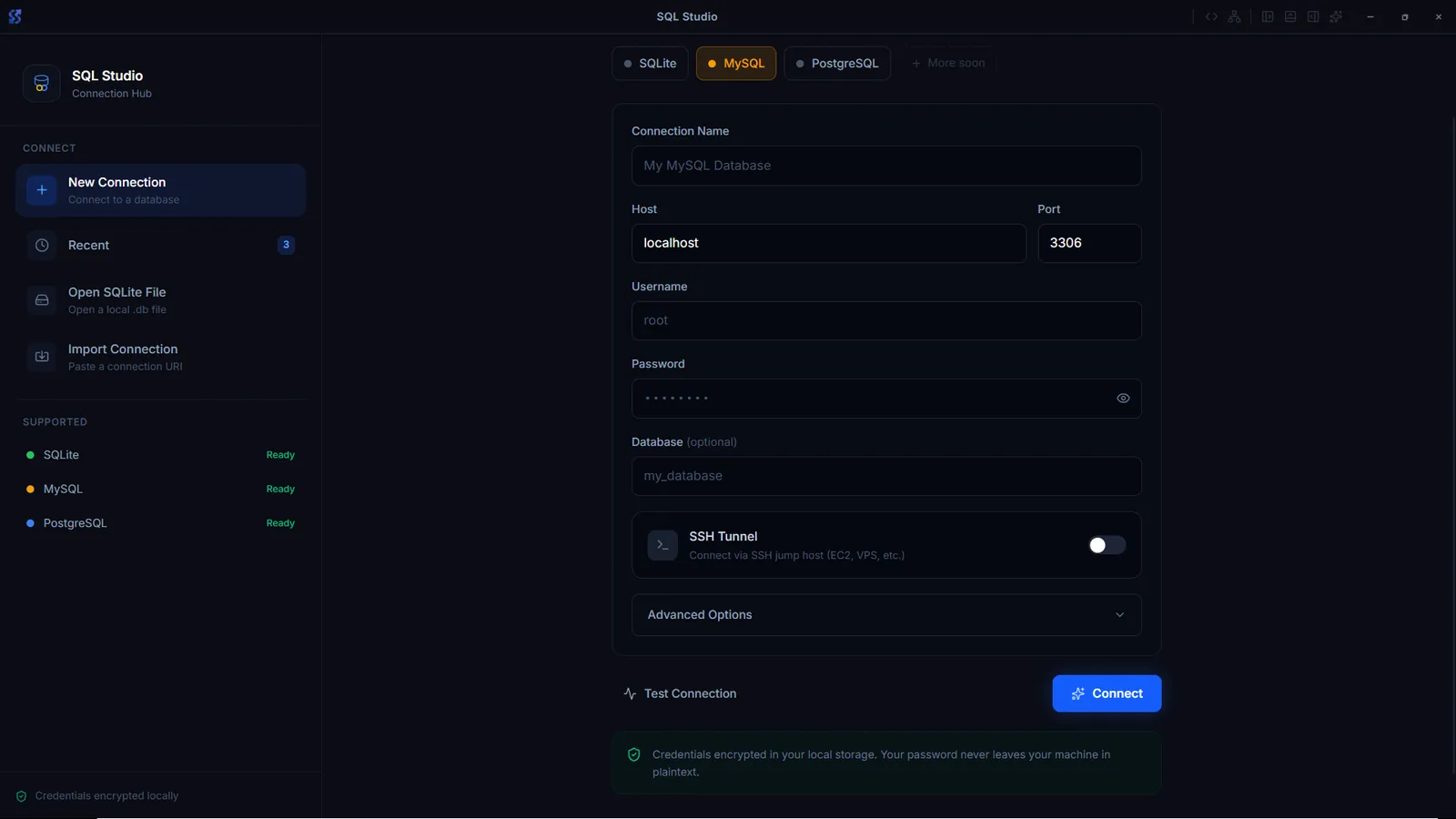
SQL Studio handles three engines from one Connection Hub, with credentials encrypted on your machine and optional SSH tunnels. The workspace remembers its layout per database, and the editor, data grid, Database Objects panel and schema canvas live in one window.
Key features
Connections
- PostgreSQL, MySQL (MariaDB compatible) and SQLite
- Test a connection with server version and latency before saving
- Import postgres:// and mysql:// URLs or open a SQLite file directly
- SSH tunnel with password or private key, SSL modes disable, prefer and require
SQL editor
- Monaco editor with highlighting, multi-cursor and formatting
- Completions from the live schema
- Multi-tab SQL files with a results strip, autosave and recovery
Database Objects
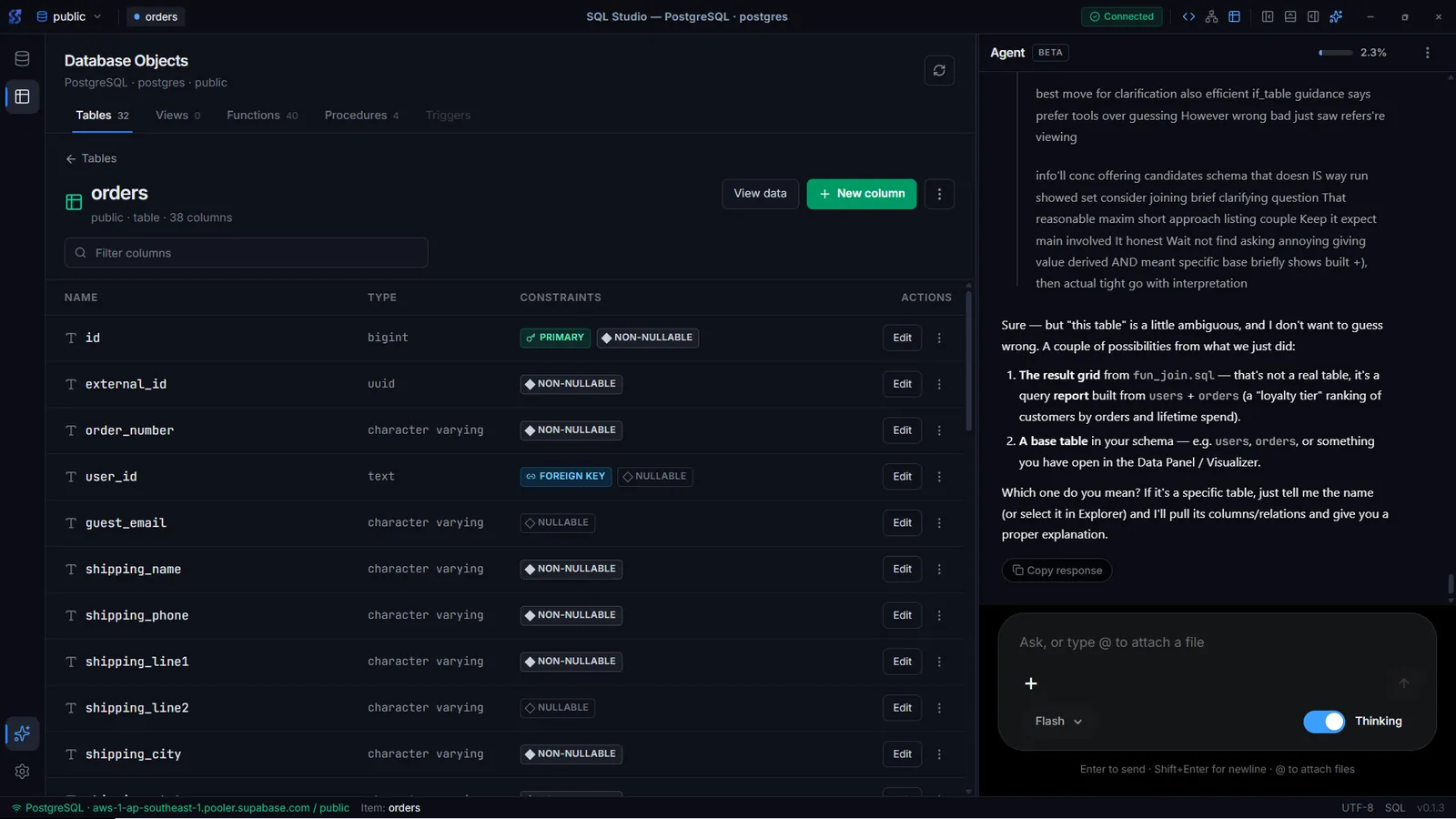
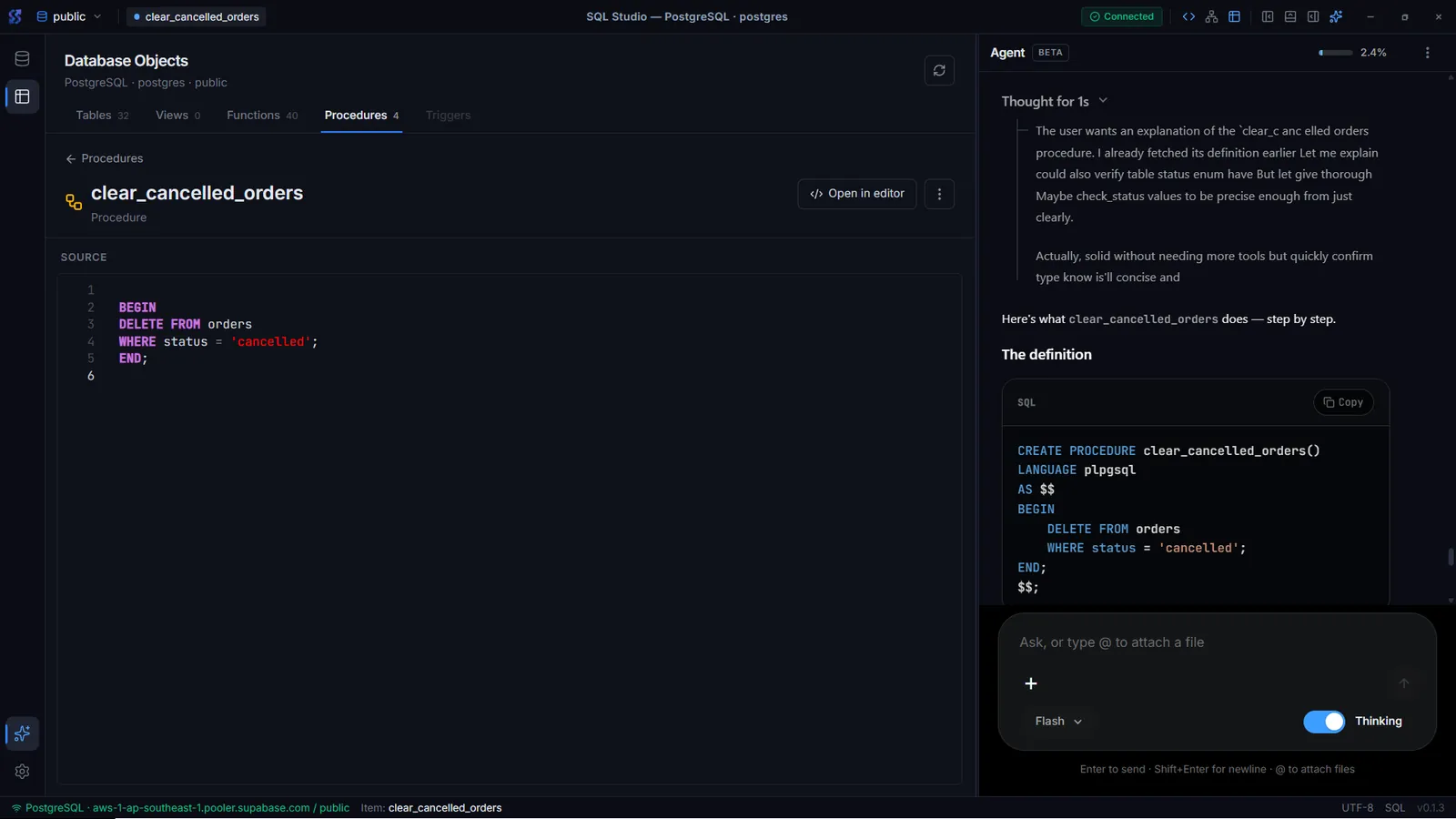
- Tables, views, functions and procedures in one panel
- Column detail with types and constraints, plus View data
- Open view and routine source in the editor
Schema Visualizer
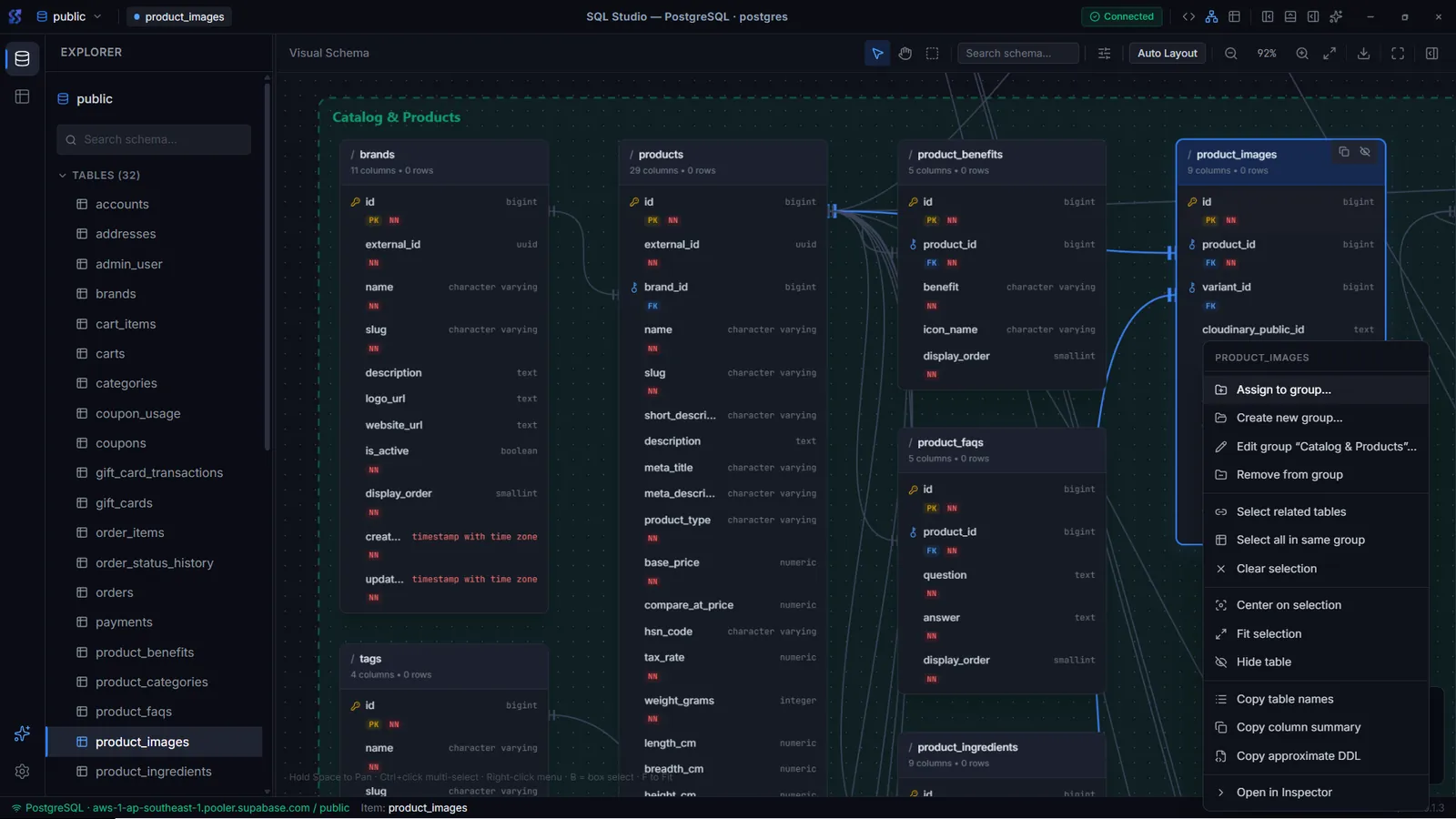
- Interactive relationship canvas with pan, zoom, multi-select and fit
- Auto-layout that respects relationships and color-coded table groups
- Export the diagram as PNG or SVG
Data browser
- Virtualized grid with pagination and visual filters
- Insert, edit and delete rows with primary-key aware SQL
- Export a page, all rows or a custom limit as CSV or JSON
Security
- Credentials encrypted at rest with AES-256-GCM
- Known-hosts check for SSH on first connect
- No product telemetry
Results
- Three database engines in one desktop app.
- Layout, tabs and canvas state remembered per connection and database.
- Free for personal and commercial use.
Screenshots
Related
SQL Studio: One Desktop IDE for PostgreSQL, MySQL and SQLite
How SQL Studio grew from a MySQL client into a local-first database IDE with a schema canvas, Database Objects and encrypted connections.
What NTXM Ships, and Why Each Product Is Its Own App
The NTXM product list as of October 2026: what each app is for, where it runs and why the jobs are kept apart.
Desktop Apps
Native desktop software for Windows and Mac, built mainly in Rust: media suites, editors, and tools that stay fast after install day.