TGVault
A desktop app for Windows and macOS that turns your own Telegram channels and Saved Messages into a private media vault. Post photos, videos and files, filter them by type, stream video inline and keep uploads and downloads running in the background.
The challenge
Telegram works well for chat, but not as a personal media vault. Files get buried in chats, videos have to download before they play, large uploads are hard to track and the global chat list is always in the way.
The solution
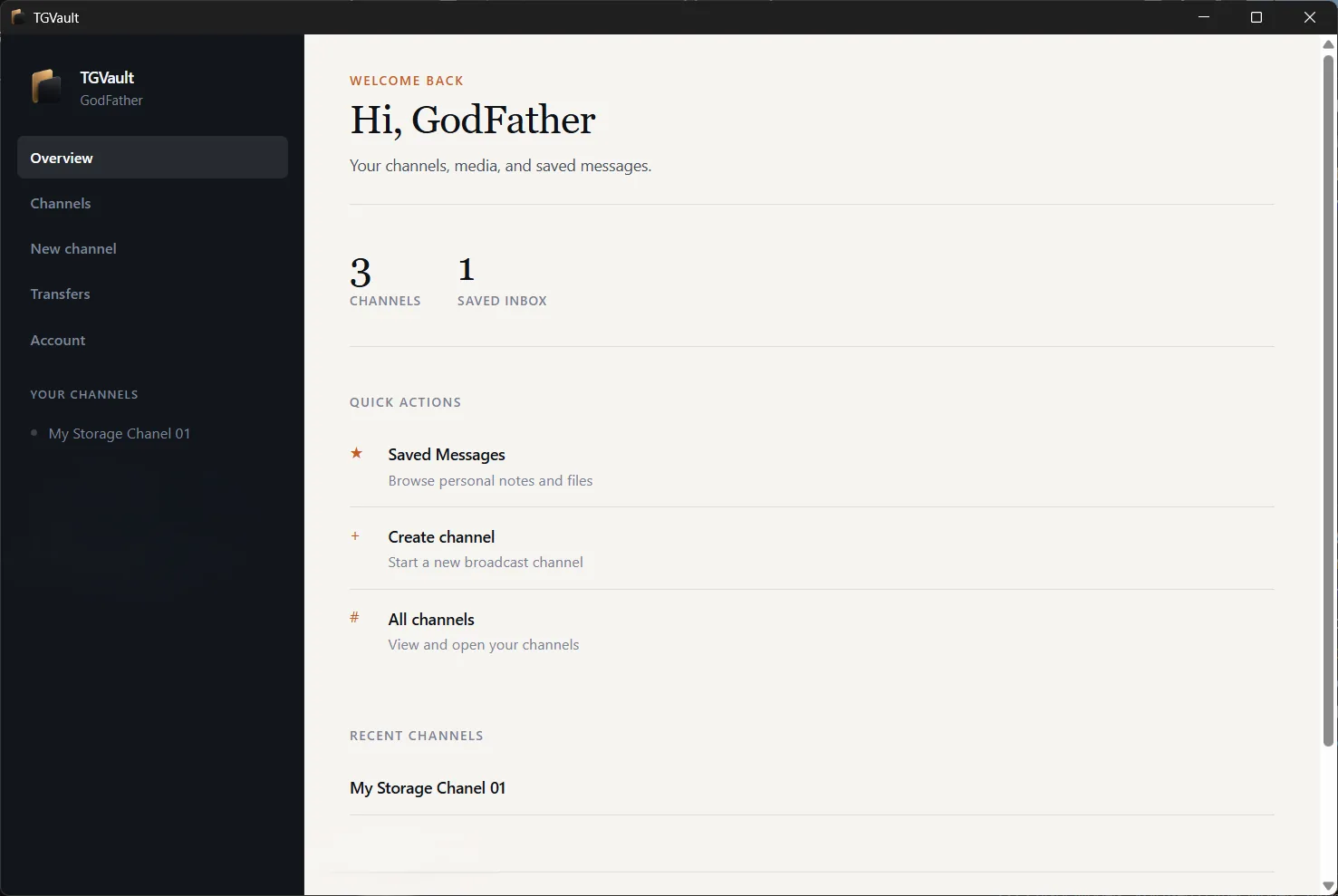
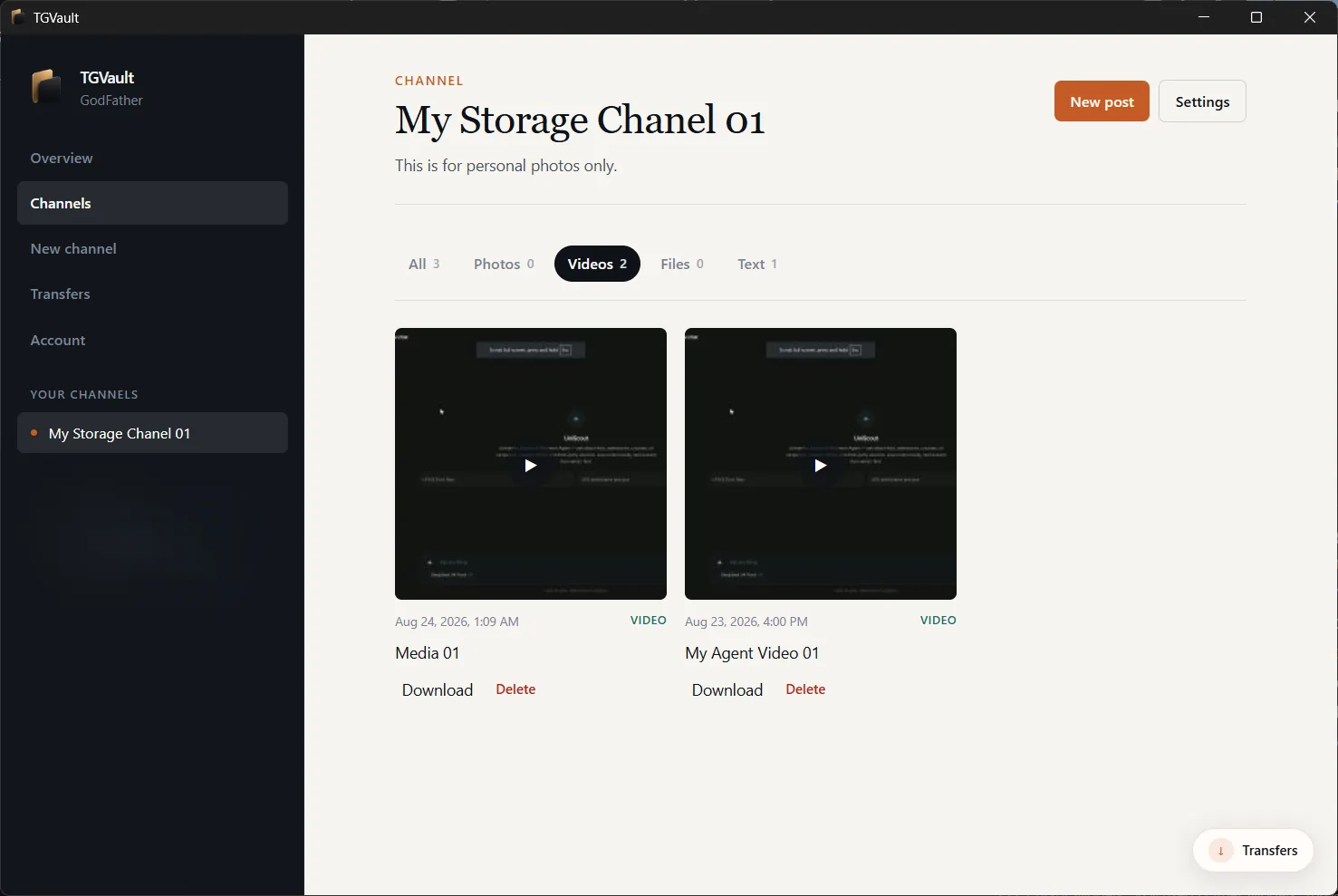
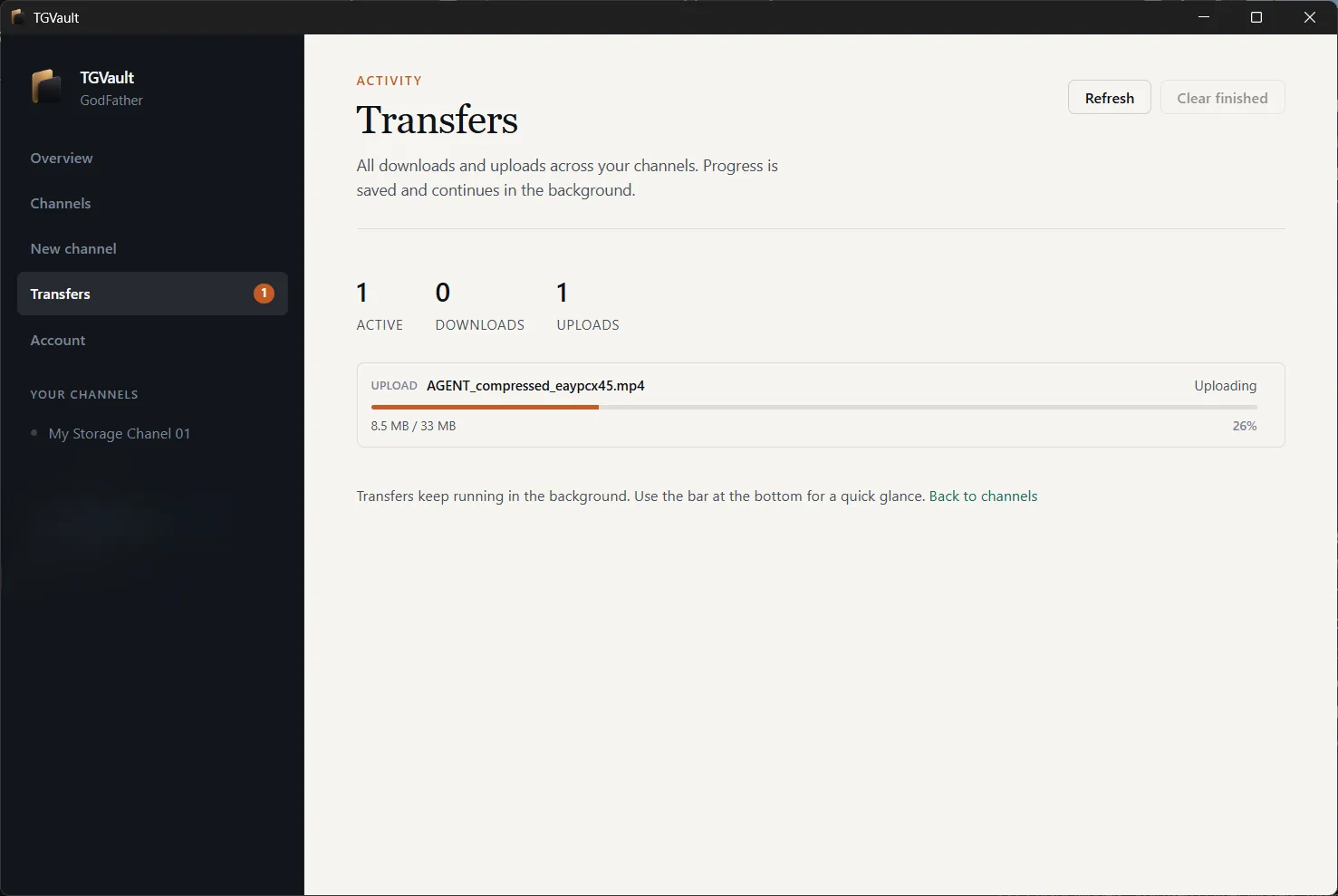
TGVault shows only Saved Messages and the channels you create in it. Each channel opens with filters for photos, videos, files and text. Videos play as soon as you open them, transfers run in the background with live progress, and you sign in once with your own Telegram account.
Key features
Your channels only
- Saved Messages plus the channels you create inside TGVault, with no global chat list
- Create and manage broadcast channels: title, about, public username and invite link
- Overview screen with channel counts, quick actions and recent channels
Posts and media
- Post text, photos, videos and documents
- Filter a channel by All, Photos, Videos, Files or Text
- Stream video in a full player and zoom and pan photos
- Download a local copy only when you want one
Transfers
- Uploads and downloads keep running while you browse
- Large files split across parallel connections
- Pause, resume, cancel or clear finished jobs from the transfers dock
Private sign-in
- Sign in once with your phone number, two-factor password supported
- API credentials and session stay on your computer
- Nothing is uploaded to ntxm.org or any cloud service
- Sign out or reset credentials any time from Account
Results
- Your Telegram channels and Saved Messages as one focused media vault.
- Video that plays without a full download first.
- Background transfers with live progress on Windows and Mac.
Screenshots
Related
What NTXM Ships, and Why Each Product Is Its Own App
The NTXM product list as of October 2026: what each app is for, where it runs and why the jobs are kept apart.
Desktop Apps
Native desktop software for Windows and Mac, built mainly in Rust: media suites, editors, and tools that stay fast after install day.